Production Reference Tool

Keep your AI drama scenes organized and consistent.

Save character references, lock locations, write scene prompts, and organize shot continuity in one clean workspace.

Get Access — ₱249.00 Client Login

One-time payment via GCash or Maya. Send a PM on Messenger to get your login.

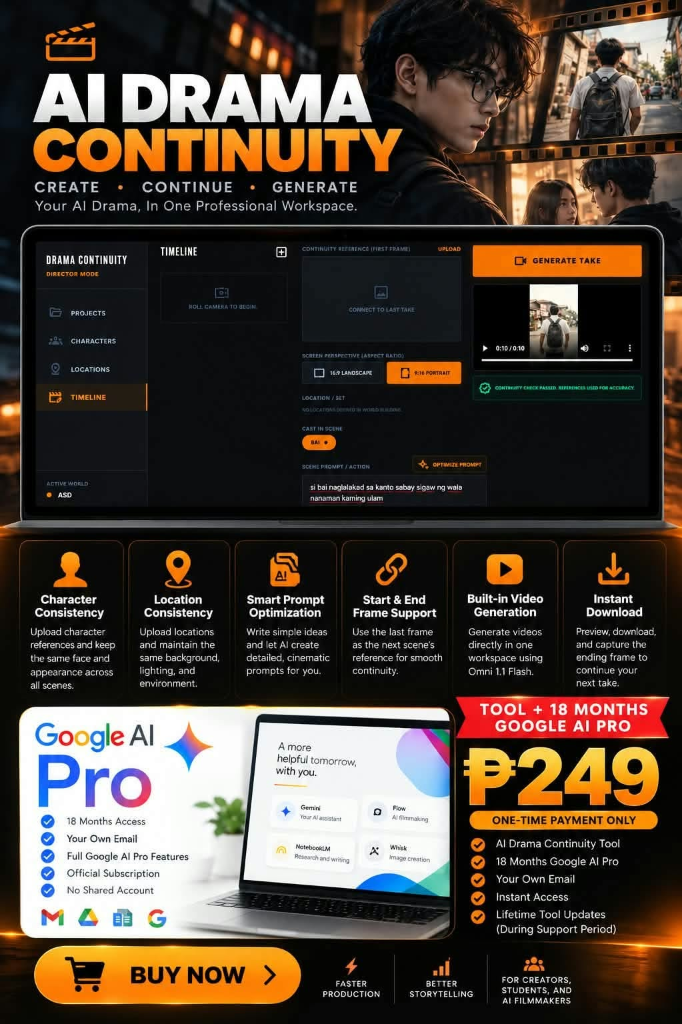
AI Drama Continuity workspace preview

What it does

A dedicated workspace designed for AI video creators and short-form drama storytellers.

Character References

Upload character portraits, face traits, and outfit notes so your character looks identical from scene 1 to the end.

Location Consistency

Save lighting details, camera setups, and background notes to keep scenes grounded in the same environment.

Scene Shot Lists

Organize takes scene by scene with prompts, dialogue, aspect ratio (16:9 or 9:16), and start/end frame continuity anchors.

How to get access

Fast and simple manual setup directly through Messenger.

Step 1

Send a PM on Messenger

Click the button below to message me directly. Let me know you want access to the AI Drama Continuity Tool.

Step 2

Send GCash or Maya Payment

Pay the one-time fee of ₱249.00. No recurring charges or monthly subscriptions.

Step 3

Receive Your Login

I will provide your account login immediately so you can sign in and start building your drama projects right away.

Full Lifetime Workspace Access

AI Drama Continuity Bundle

₱249.00

One-time payment only. No monthly subscription.

Inclusions:

  • ✓ Full access to the web-based Continuity Workspace
  • ✓ Unlimited drama projects, characters, and scene shot lists
  • ✓ 16:9 (Landscape) and 9:16 (Portrait) aspect ratio support
  • ✓ One-click prompt copying and project export
  • ✓ Direct onboarding and creator assistance
PM Me on Messenger to Get Access

Frequently asked questions

Simply click the "Get Access" button or message me on Messenger. Send your payment via GCash or Maya, and I will set up your login account right away.
No. This is a reference and continuity workspace for organizing prompts, character anchors, and shot sequences. You copy your structured prompts into your preferred generator (Midjourney, Runway, Kling, Luma, etc.).
Click the "Client Login" button in the top menu and enter your email and password to open your dashboard and workspace.